
Reviews
TuneWave Radio Music Studio stands out for its accessible design and focus on free-form musical exploration. The multiple radio channels and instrument choices provide endless combinations, keeping the experience fresh. The cheerful visuals and audio create a positive atmosphere. It is an excellent educational tool for introducing children to rhythm and sound without pressure.
Description
Game Introduction
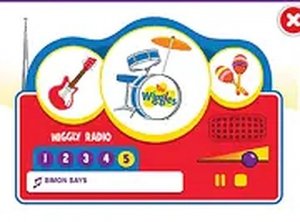
TuneWave Radio Music Studio is a delightful online experience that invites children and families to explore the world of rhythm and melody. Designed as a creative playground, this browser-based activity allows users to interact with multiple radio channels and a selection of musical instruments. The core objective is to encourage musical expression and creativity in a vibrant, colorful environment. Players can experiment with different sounds and combinations to produce their own tunes. The game runs directly in a web browser on desktop computers, requiring no downloads or installations. This makes it easily accessible for quick sessions of musical fun. What sets this experience apart is its focus on free-form creation rather than strict gameplay rules. There are no winners or losers; the joy comes from discovering new harmonies and rhythms. The cheerful audio and bright visuals create an inviting atmosphere suitable for all ages. Whether a child is taking their first steps into music or an adult wants a relaxing creative outlet, this studio offers a playful way to engage with sound. It emphasizes exploration and personal expression, making every session unique.
How to Play
To begin, players use a keyboard or mouse on a desktop computer to select from several available radio channels, each offering a distinct musical style. After choosing a channel, they can pick an instrument, such as guitar, drums, or maracas, to play along with the background music. On-screen cues help guide the player to match the rhythm and blend their instrument's sound with the channel's tune. Users can freely switch between channels and instruments to experiment with different combinations. The controls are simple and intuitive, allowing anyone to start creating music immediately without prior training. This straightforward approach ensures that the focus remains on creativity and fun.
Game Features
TuneWave Radio Music Studio includes interactive music creation with multiple radio channels and a selection of instruments. It features simple keyboard and mouse controls optimized for desktop play. The game offers a full-screen mode for a more immersive experience. It is free to play directly in a browser with no downloads required. The visuals are colorful and the audio is cheerful, making it suitable for all ages. This game provides a safe, educational environment for children to explore music and rhythm. The combination of channels and instruments allows for countless creative possibilities.
Tips for Success
Try mixing different radio channels and instruments to discover unexpected harmonies. Pay attention to the on-screen cues to stay in rhythm, but feel free to improvise and develop your own style. Regular practice can improve timing and coordination. Playing with friends or family can make the experience more collaborative and enjoyable. Most importantly, relax and enjoy the creative process—there is no wrong way to make music.
Compatibility
Faq
Similar Titles

Kids Hand Doctor Care Game

Fairy Academy Style Creator

Nina's Summer Style Adventure

Cosmic Rhythm Arcade

Beat Match Online Rhythm Game

Null Beat Rhythm Game

Rhythm Beat Showdown Arcade

Fruit Coloring Fun for Kids

School Bus Driving Adventure

Musical Monster Rhythm Challenge
TuneWave Radio Music Studio

Player Comments
Sign in to comment
You must be logged in before posting a review or rating.
No account? Create one
No comments yet. Be the first to comment!